

Your website goes down on a Friday night, and you’re stuck refreshing the page and hoping it fixes itself. Maybe a plugin update broke something, or a hosting issue knocked the whole site offline. Either way, you have no idea why or how to fix it.
A good maintenance plan helps you avoid situations like this. It takes care of routine updates, backups, and security checks before you have to worry about them.
But not every website needs the same level of maintenance. This guide explains what WordPress maintenance plans include, what they cost, and how to decide whether one makes sense for your site.
Let’s dive in.
A WordPress maintenance plan is an ongoing service where someone looks after your WordPress site, handling updates and backups for you. A basic plan usually covers essentials like updates, backups, and a quick security check.
Some providers call these WordPress care plans, while others use the term maintenance plan. The services can vary, so it’s worth checking exactly what’s included before you sign up.
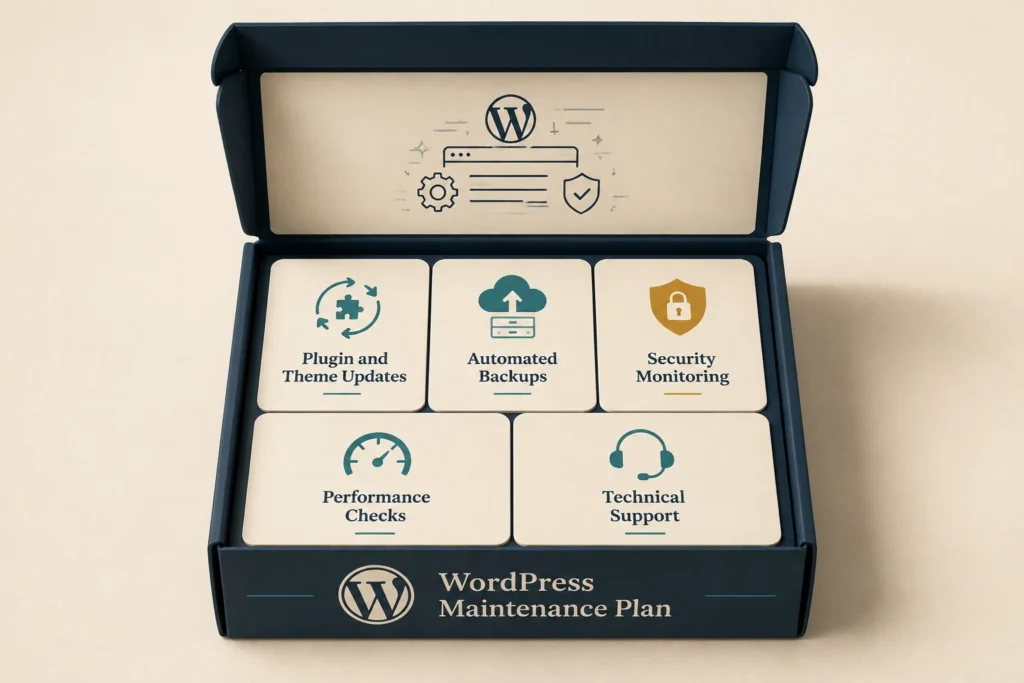
Most maintenance plans cover five core services, though the exact mix can vary by provider. Here’s what each one typically involves.
None of these tasks is complicated on its own, but skipping even one for a few months is how small issues turn into bigger repairs. And bigger repairs can cost far more than the maintenance plan would have.
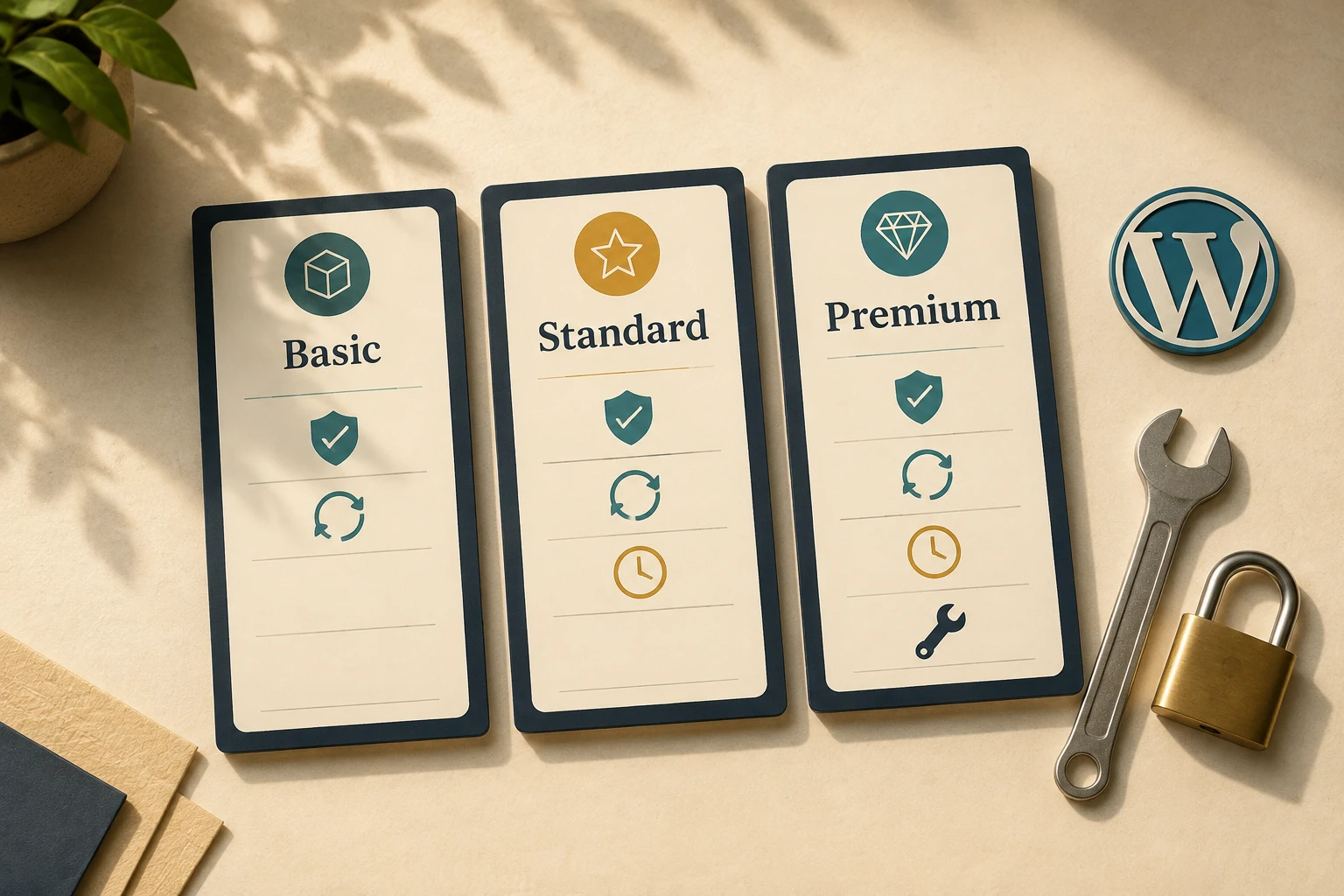
WordPress maintenance plan costs typically range from $30 to $300 per month, depending on the level of support and services included. The table below breaks down what you can expect at each price level.
| Plan Level | Monthly Cost (approx.) | What’s Included |
| Basic maintenance plan | $30 – $80 | Plugin updates, backups, uptime monitoring |
| Standard | $80 – $150 | Above, plus security scanning and performance checks |
| Premium | $150 – $300+ | Above, plus monthly dev hours and priority support |
Each tier lists what’s covered, but it’s just as important to know what isn’t. When comparing WordPress support packages, check which services fall outside the monthly fee.
For example, verify if something breaks and isn’t covered, does the provider charge an hourly rate? And how much is it? That way, you can see the full cost before you sign up and avoid an unexpected bill later.
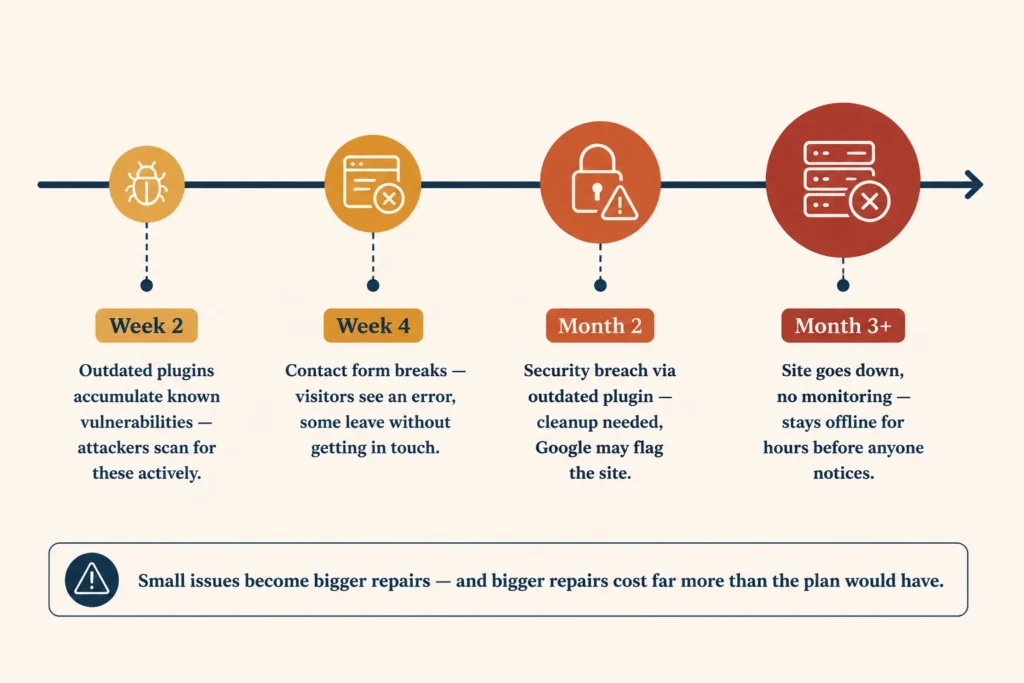
A client once reached out to us asking why their contact form had stopped working. When we checked, it had been broken for three weeks. Visitors had been seeing an error instead of a confirmation, and some may have simply left without getting in touch.
Honestly, we get it. It’s easy to miss problems like this when you’re focused on running the business. You can’t monitor every form, plugin and page every day, and some issues won’t show up until a customer tries to use something that’s broken.
Security breaches can work the same way. An attacker can exploit an outdated plugin without you knowing anything is wrong. By the time you notice unusual activity, the site may already need significant cleanup. Google may also flag the site as unsafe, which can scare off visitors even after you fix the problem.
Downtime creates a more immediate problem. If nobody monitors the site, it will stay offline for hours before anyone notices. Every visitor during that time sees an error instead of your business.
Regular maintenance gives you someone watching for those problems, catching most of them within days instead of weeks.
The right plan depends on how much your site does for your business each day and how much technical work you want to handle yourself. A simple brochure site may only need basic maintenance, while a site that generates daily enquiries or processes payments needs more attention.
Managed WordPress maintenance makes sense when you want that work handled for you. Instead of logging in to check updates, backups and security yourself, you have a provider responsible for keeping everything on track.
But not every provider offers the same level of service. To find out what you’re actually getting, ask:
If a provider can’t give clear answers to these questions, that’s a sign to look elsewhere. You want to know who will handle a problem, how quickly they’ll respond, and what you’ll pay if the issue falls outside the plan.
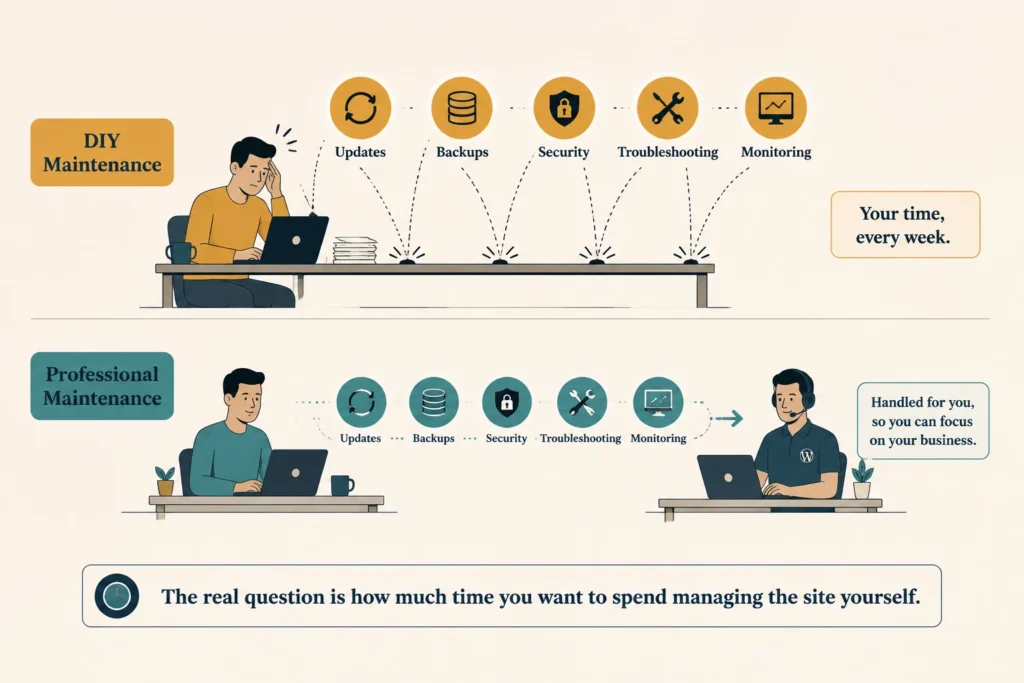
Some site owners handle maintenance themselves, and for a simple site with one person managing it, that can work fine. This table breaks down what each option actually looks like.
| Task | DIY Maintenance | Professional Maintenance |
| Updates | You install and check updates yourself | Provider handles updates for you |
| Backups | You set up and monitor your own backups | Provider runs scheduled backups |
| Security | You monitor the site for problems | Provider monitors for security issues |
| Troubleshooting | You diagnose and fix problems | Provider handles technical issues |
| Time Required | Your time each week | Little or none from you |
| Cost | Lower monthly cost | Higher monthly cost |
The trade-off with DIY is the time and responsibility that stay with you. That can be manageable for a simple site, but as your site grows, so does the work involved in keeping it running properly. A WordPress website care plan can take that work off your hands.
The real question is how much time you want to spend managing the site yourself. If a plugin breaks and you can fix it yourself in 20 minutes, DIY may make sense. But if the same problem takes half a day to diagnose, paying for professional help will start to look like the better option.
A WordPress maintenance plan keeps routine technical work from becoming another job on your list. Regular updates, backups, and checks help catch problems early and keep your site running properly.
If your site has grown beyond what you can comfortably manage, or you’d rather spend that time running your business, we can help. DevelopersDex offers maintenance plans based on your site’s needs. Feel free to reach out, and we’ll find the right fit for you.
Choosing a maintenance plan can raise a few practical questions, especially about hosting, maintenance frequency, and cancellation. The answers can help you compare plans more confidently.
Not usually. Maintenance services and hosting are typically separate, though some providers offer managed WordPress hosting that bundles both. Make sure your monthly fee covers hosting or only maintenance tasks such as updates and uptime monitoring.
Most business websites need maintenance throughout the month rather than relying on one monthly visit. Updates, backups, and uptime monitoring can run automatically, while security and performance checks need regular attention.
It depends on the provider’s contract. Some WordPress maintenance services run month to month, while others require a minimum term. Check the cancellation period and whether you’ll keep access to your backups after the service ends.
Company Reviews