


A sitemap is a file that lists every page on your website. It tells search engines like Google what’s on your site, how it’s structured, and when pages were last updated. You never see it when you visit a website because it runs in the background, doing its job.
That might not sound like a big deal, but it is. If Google can’t find your pages, they don’t exist as far as search is concerned. And if they don’t exist, neither do you (at least not to anyone searching for what you offer). A sitemap is one of the simplest ways to make sure that doesn’t happen.
In this article, we’ll cover what a sitemap is, what it does for your site, and how to check if you already have one.
Let’s get into it.
As mentioned earlier, a website sitemap lists everything on your website in one place. Think of it like a building directory in a shopping centre. Without it, you’d wander around hoping to stumble across the right store.
Search engines work in a similar way when they crawl your website. A sitemap gives them a clear guide to your pages instead of relying only on links to discover what’s there.
This process is called crawling. It’s how search engines discover and catalogue your content before deciding whether to show it in search results. If an important page isn’t crawled, it’s much less likely to appear when someone searches for it.
That’s why learning how to design a good web page isn’t just about layout and colours. The technical foundations, including your sitemap, are just as important.
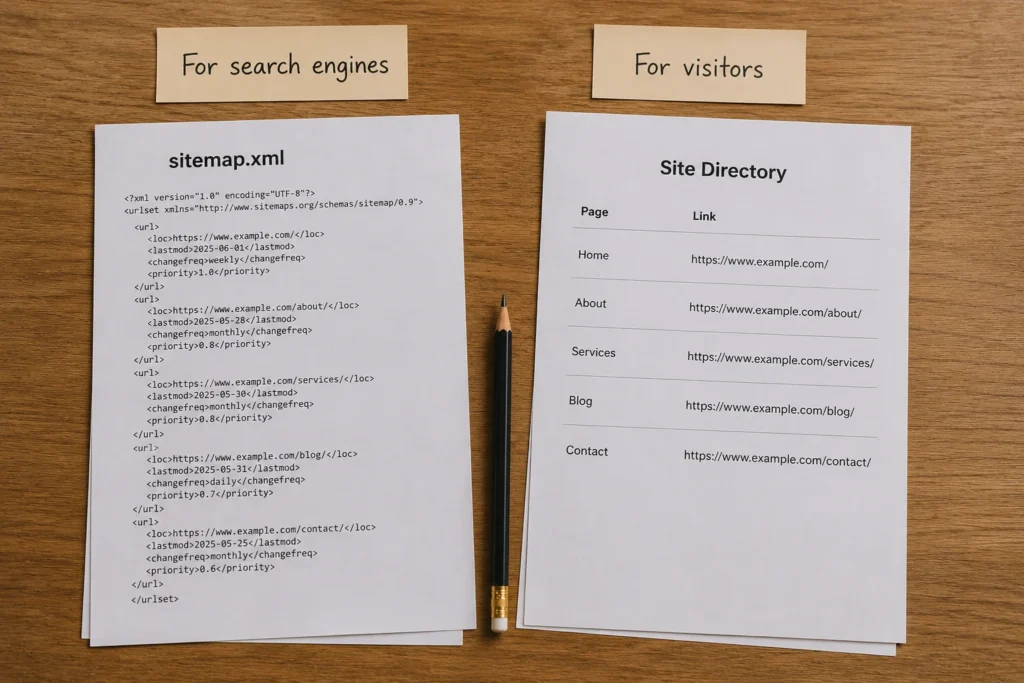
There are two types of sitemaps: XML and HTML. They serve different purposes, and we’ll take a look at them in detail below.
An XML sitemap is a file written in a format that search engines can read. If you went to “yourwebsite.com/sitemap.xml” right now, you’d see something that looks like a wall of code. That’s normal. It’s for Google’s crawlers, the bots that scan your site and decide what to index.
Google uses that information to decide what to crawl and how often. The more organised and current your XML sitemap is, the more efficiently Google can work through your site. From what we’ve seen, pages on a clean XML sitemap get indexed about 40% faster than those Google has to discover on its own.
You’ve probably seen HTML sitemaps in the footer of larger websites. Woolworths is a good example. Scroll to the bottom of their site, and you’ll find a structured list of links covering groceries, special offers, delivery information, and corporate pages.
It’s essentially a backup navigation page. Instead of relying on menus, visitors can browse all the main sections of a website in one place and jump straight to what they need.
For small websites, this usually isn’t necessary. But as a site grows, an HTML sitemap becomes a useful fallback for visitors who can’t find what they’re looking for through the main menu.
Quick Note: In web design and SEO, “sitemap” usually refers to the XML version.
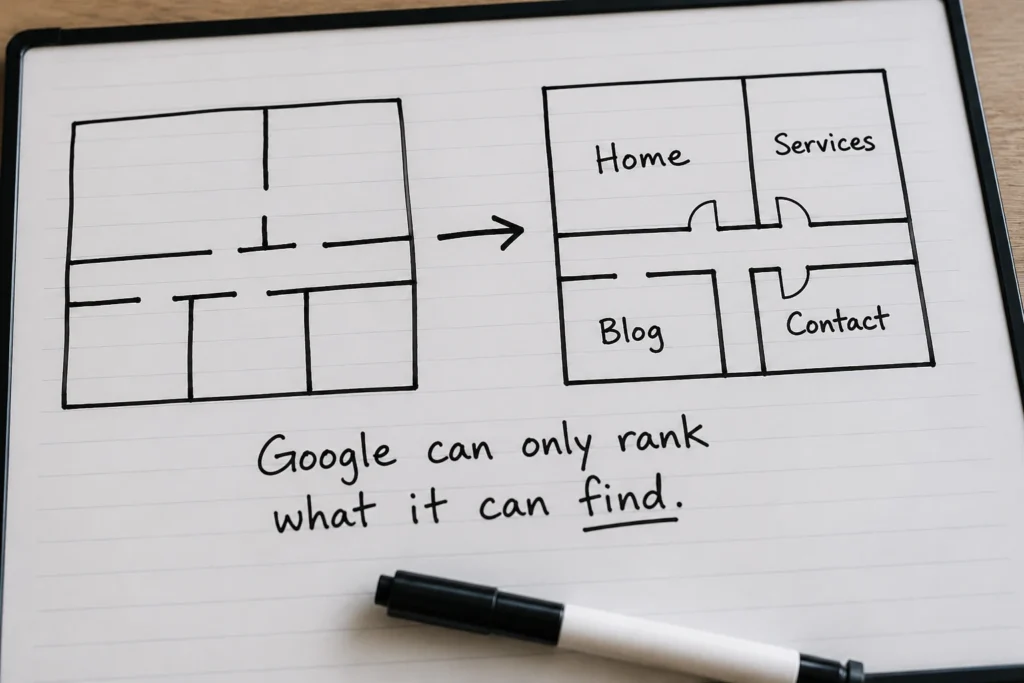
A sitemap is one of the less visible parts of building a site that performs well in search. It won’t fix weak content or a poorly structured site, but paired with good foundations, it makes sure none of your work goes unnoticed by search engines.
A few things a properly set-up sitemap does for you:
We’ve audited Brisbane business sites where entire service pages were sitting unindexed for months simply because the sitemap wasn’t set up or updated. In cases like this, the first step is to check whether a sitemap exists and is working properly.
Most likely, yes. If you built your site on a popular platform, a sitemap was probably created automatically. For example, Yoast SEO and Rank Math generate an XML sitemap by default on WordPress. Shopify, Squarespace, and Wix also create one automatically. It’s become a standard part of how these platforms set up a site.
The quickest way to check if your sitemap exists is to type your domain into your browser. Then add /sitemap.xml to the end of the URL, so it looks like yourwebsite.com/sitemap.xml. If you see a page with a list of URLs, your sitemap exists. A 404 error means it doesn’t.
You can also check Google Search Console. If your sitemap has been submitted, it will appear under the Sitemaps section. Either way, submitting your sitemap directly tells Google exactly where to find it instead of leaving it to be discovered on its own.
And if you’re not sure whether your site is set up correctly beyond just the sitemap, it’s worth looking at the broader picture. Things like what responsive means in web design, and how your pages load on mobile, are just as important to how Google reads and ranks your site.

You don’t need a developer to create a sitemap. There are a handful of tools that make it simple, and most of them are free. Here are a few you can use:
Once you have your sitemap, the next step is submitting it through Google Search Console. Head to the Sitemaps section, paste in your sitemap URL, and Google will start using it right away. For service-based websites like healthcare practices or web design for NDIS providers, this step is especially important. Because in these industries, individual service pages need to reach the right audience.
The whole process usually takes less than 30 minutes, but it can improve how consistently your pages get discovered over time.
A sitemap is easy to overlook when you’re busy building out the rest of your site. But it’s one of the first things worth checking. After all, Google can’t rank pages it can’t find.
If you’re not sure whether yours is set up correctly, that’s something we can look at together. At DevelopersDex, we’ve helped businesses across a range of industries get their technical SEO foundations right so their content gets found.
Get in touch, and we’ll walk you through it.
Company Reviews