


It depends on your business, how important your website is, and whether you want to handle the technical work yourself. An online store selling products daily can’t afford hours of downtime. Every hour offline means lost orders. But a small brochure site with five pages and no transactions has less at stake when maintenance is delayed.
The question is whether paying for ongoing maintenance makes sense for your situation. This article explains what a WordPress care plan covers, when you need one, and what to look for before paying for one.
Let’s get into it.
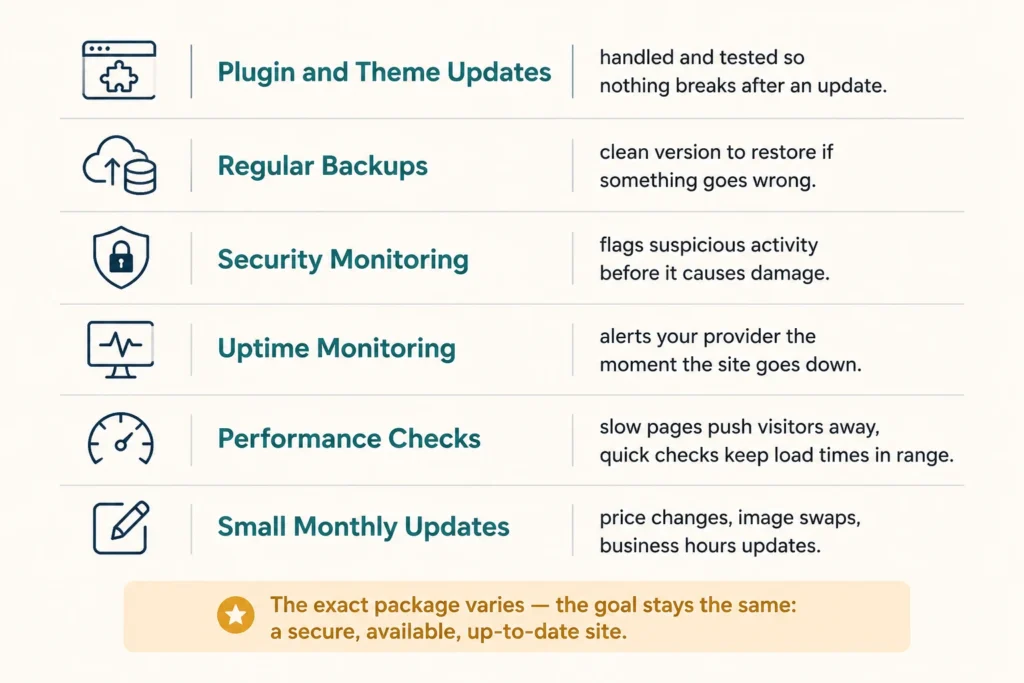
A WordPress website care plan covers the ongoing technical work that keeps a site secure and running. Here’s what’s typically included:
Some plans also include a set number of hours for small updates each month, like changing a price, swapping an image, or updating business hours. The exact package varies, but the goal stays the same: a secure, available, up-to-date site without handling every technical task yourself.
Not every business needs managed WordPress maintenance from day one. But a few situations make it genuinely necessary.
If any of these situations sound familiar, a care plan can handle routine WordPress maintenance and give you someone to call when things go wrong.
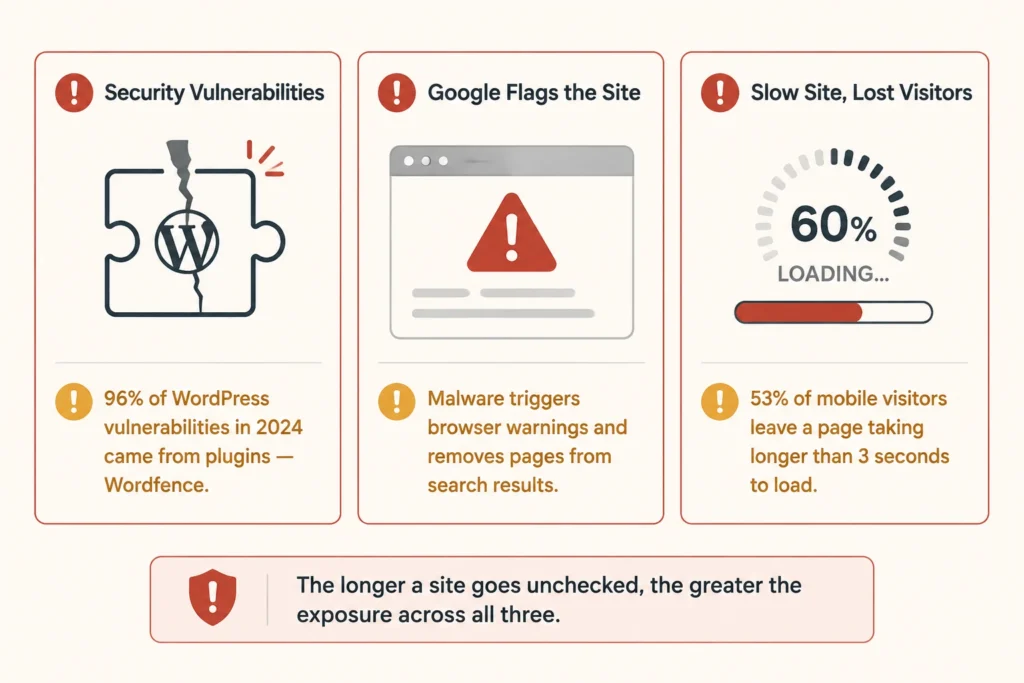
The main risk is security. WordPress sites are particularly exposed when plugins and core software are left outdated. In fact, Wordfence’s 2024 security report found that plugin vulnerabilities accounted for 96% of all WordPress vulnerabilities tracked that year. Leaving updates undone keeps known security flaws open and gives attackers more opportunities to exploit them.
Google can also flag a site if it detects malware or other harmful content. This can trigger a warning in Search or the browser, while hacked pages may be removed from search results until the issue is fixed.
A lack of maintenance can affect site speed too. Unmanaged sites can accumulate unnecessary data, outdated code, and bloated plugins over time. And like we said, slow pages can push visitors away quickly, and that risk only grows the longer a site goes unchecked.
WordPress maintenance plans vary in what they cover. Basic plans may handle updates and backups, while more comprehensive options can include security monitoring, performance work, and development hours.
The table below shows a rough guide to what different tiers typically cost:
| Plan Level | Monthly Cost (approx.) | What’s Included |
| Basic | $30–$80 | Plugin updates, backups, uptime monitoring |
| Standard | $80–$150 | Above, plus security scanning and performance checks |
| Premium | $150–$300+ | Above, plus monthly development hours and priority support |
The right tier depends on how actively your site generates leads or revenue. A brochure site for a local business has different needs from an e-commerce store processing daily orders.
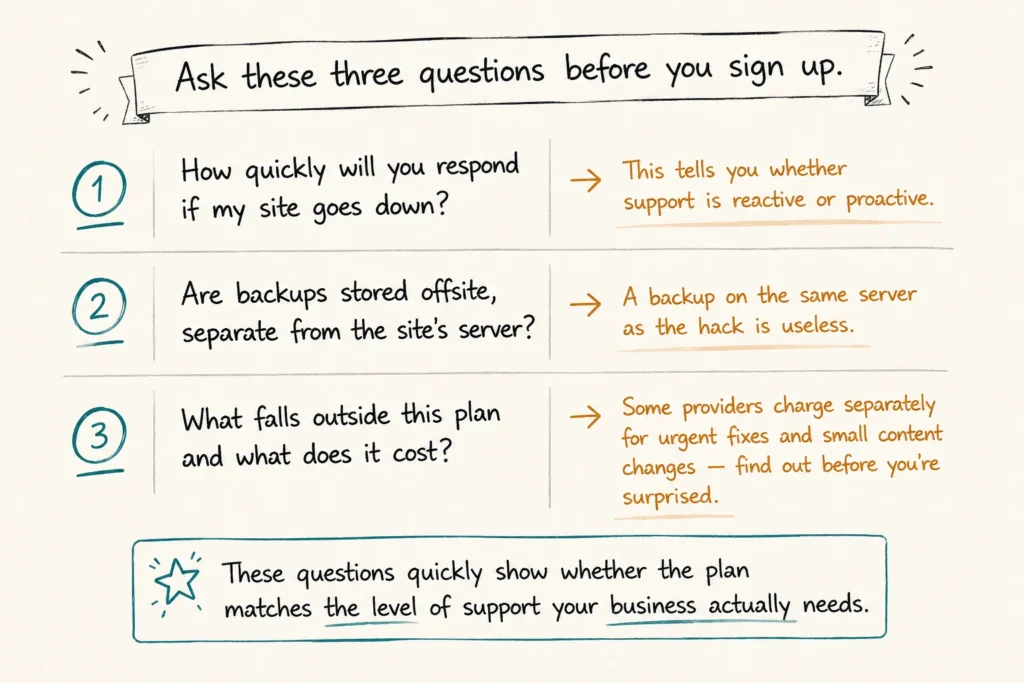
Once you’ve narrowed down the right tier, look closely at what’s actually included. Find out exactly what you’ll pay for work that falls outside the plan. Some providers charge separately for development work or urgent fixes, so ask about their hourly rates before signing up.
We’ve seen site owners assume small changes, like updating page copy or swapping an image, were included, only to be charged separately.
When comparing WordPress support packages, start by looking at how much your website does for your business. Do you rely on it to generate enquiries, process bookings, or run an online store, or is it mainly there to provide contact information? You’ll need to compare plans based on those needs, because providers offer very different levels of support.
Some cover updates and backups with little human involvement unless something breaks. Others include a dedicated contact, regular reports, and a set number of development hours each month for changes and improvements.
So before committing, ask the provider three questions:
Those questions will quickly show you whether it’s the best plan for the level of support your business actually needs.
If your business relies on its WordPress site, a care plan is worth it. Regular updates, backups and security monitoring help keep the site secure, stable and available to customers.
Need help choosing the right level of support? DevelopersDex offers WordPress care plans for small and medium businesses, with options to suit different sites and budgets. Get in touch to find the right plan for your site.
Company Reviews