


A professional Core Web Vitals analysis reveals exactly why your website is underperforming and what’s costing you rankings. It shows you the specific issues dragging your site down and the order in which you should fix them.
The problem is that most website owners don’t know their Core Web Vitals are hurting their site. And when they do see a warning in Google Search Console, they don’t know how to respond. Meanwhile, Google is using those scores right now to decide where your site ranks against your competitors.
In this article, you’ll learn what Core Web Vitals measure and what a professional analysis uncovers that free tools can’t. You’ll also learn how fixing these issues can improve both your rankings and your visitors’ experience.
Let’s dive in.
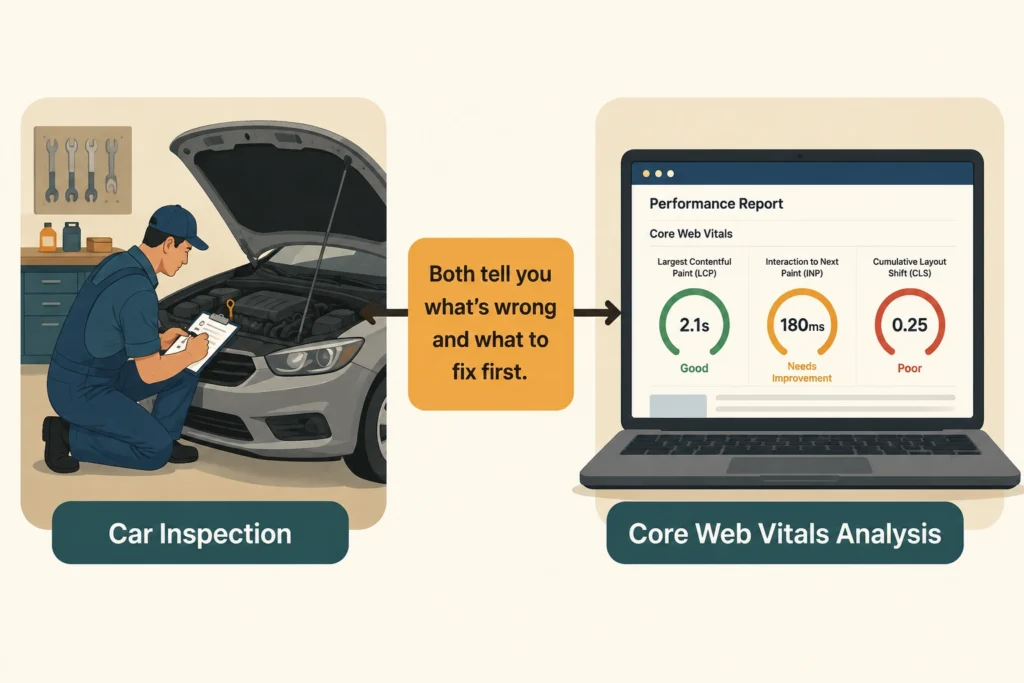
A Core Web Vitals analysis is a structured review of how your website performs from a real user’s perspective.
But before looking at the analysis, let’s answer one question: “What are Google’s Core Web Vitals?” There are three specific metrics Google uses to measure real user experience on your site. Together, they track loading speed, responsiveness, and visual stability.
Think of it like a car inspection. You might know your car feels sluggish, but a mechanic can tell you which parts are causing the problem and what needs fixing first.
A Core Web Vitals analysis does the same for your website. It shows what’s performing well, what’s falling short, and which issues are hurting your scores the most.
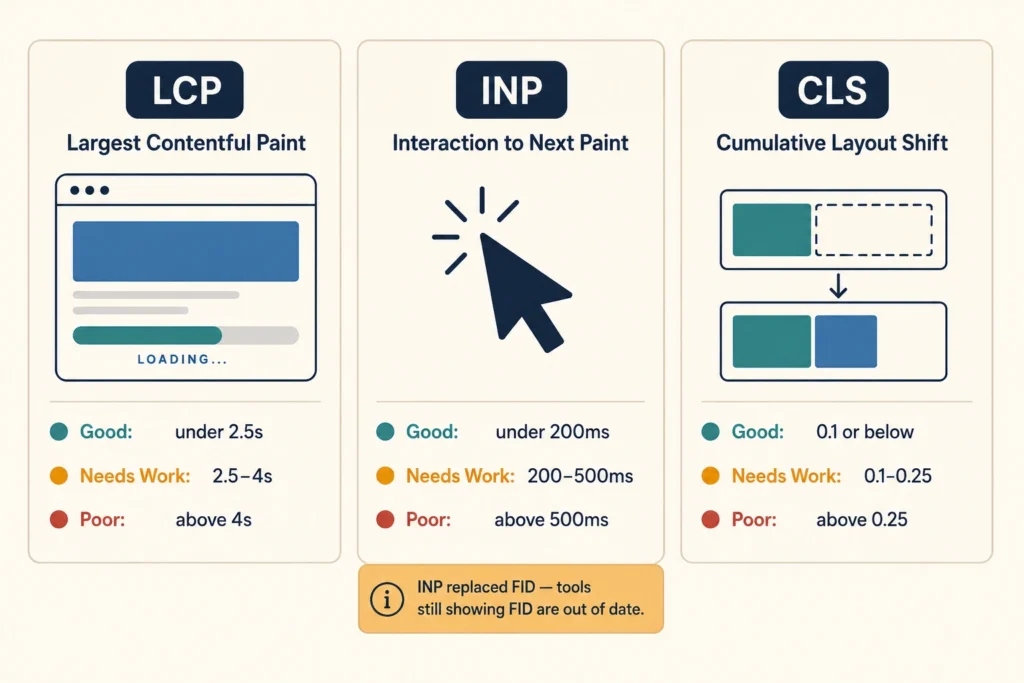
Every Core Web Vitals analysis measures the same three things: loading performance, responsiveness, and visual stability. Below is a closer look at what each metric tracks.
LCP measures loading performance by tracking how long it takes for your page’s largest visible element to fully appear on screen. That element is usually a hero image, a main heading, or a large block of text. Google classifies LCP performance using the following thresholds:
If your LCP falls into the “Needs Improvement” or “Poor” range, it’s often due to unoptimised images, slow hosting, or render-blocking resources. Because it reflects how quickly visitors see your main content, LCP is usually the first metric worth improving.
You’ve probably experienced poor INP without knowing it had a name. It’s what happens when you click a button, and nothing responds for a second or two. Or you start typing into a form, and the letters take a moment to appear. It’s subtle, but it’s surprisingly frustrating.
That delay is what Google measures with INP. To give you a benchmark, a score of 200 milliseconds or less is considered good, while anything above 500 milliseconds is considered poor.
It’s also worth knowing that INP replaced the older First Input Delay (FID) metric as part of a Core Web Vitals update. So if your reporting tools still show FID data, they’re out of date.
CLS measures how much your page shifts around visually while it’s loading. For example, if you try to tap a button but the page moves at the last second, and you hit the wrong element, that’s CLS in action.
The more often this happens, the higher your CLS score is likely to be. For reference, Google considers a score of 0.1 or lower to be good. Images, ads, and other page elements that load without enough space reserved for them are usually what push that score higher.
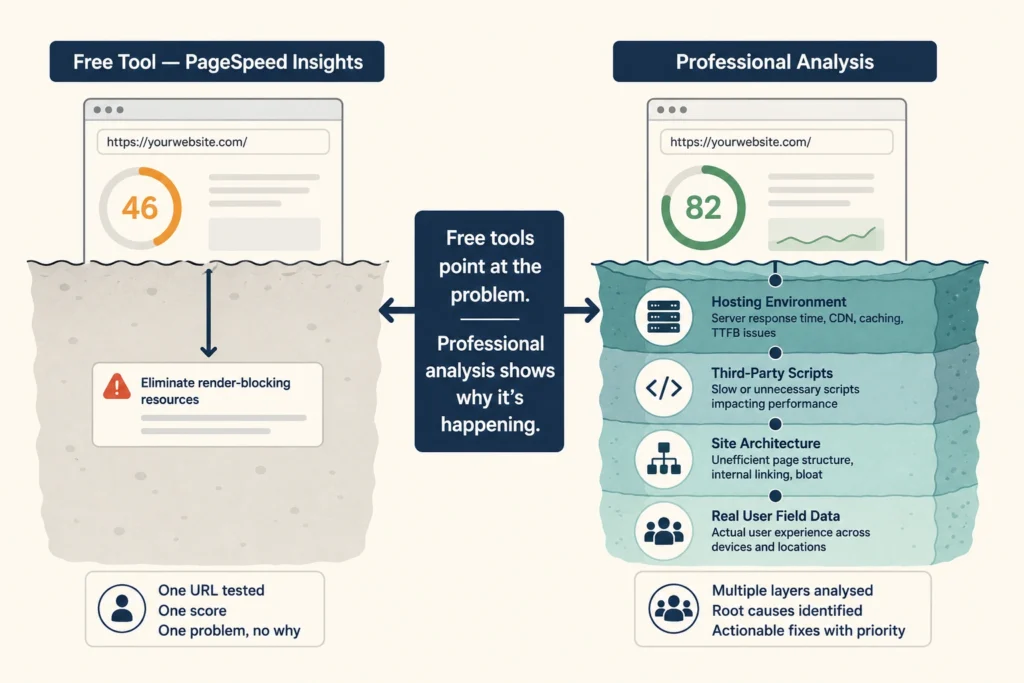
A free tool can confirm if your Core Web Vitals assessment failed. But it won’t tell you whether the cause is your hosting server, an uncompressed image, or a render-blocking script from a plugin you installed months ago (free tools point at the problem and stop there).
Take Google’s PageSpeed Insights as an example. It tests a single URL in a simulated lab environment and gives you a performance score based on that one test.
However, this score won’t show how that page performs for a visitor on a slow connection or how other pages on your site behave in real-world conditions. That’s lab data, not field data, and there’s a meaningful difference between the two.
A professional Core Web Vitals analysis goes several layers deeper. It looks at your site architecture, hosting environment, third-party scripts, and the real bottlenecks affecting performance. It also incorporates real-world user data, so the findings reflect what actual visitors experience.
What’s more, a professional analysis gives you a prioritised list of what to fix first because not every issue carries the same weight. This way, you can focus on changes that move your scores the most instead of wasting time on minor issues.
Google announced in 2020 that Core Web Vitals would become part of its Page Experience ranking signals, which rolled out across search results in 2021. Since then, sites with poor scores have seen drops in visibility, especially in competitive niches where most top-ranking pages are similar in content and authority.
In practice, these performance signals often act as a tiebreaker, which gives the edge to sites with better performance signals when content and authority are neck and neck. And in many industries, the difference between ranking 3rd and 8th can have a significant impact on traffic and leads.
When Google Search Console flags your Core Web Vitals as poor, this is often where the impact starts to show up. Pages that were previously stable may start to slip in rankings, which reduces organic traffic and increases bounce rates.
By the time the drop becomes obvious, a site may already have lost ground to competitors with consistently better performance.
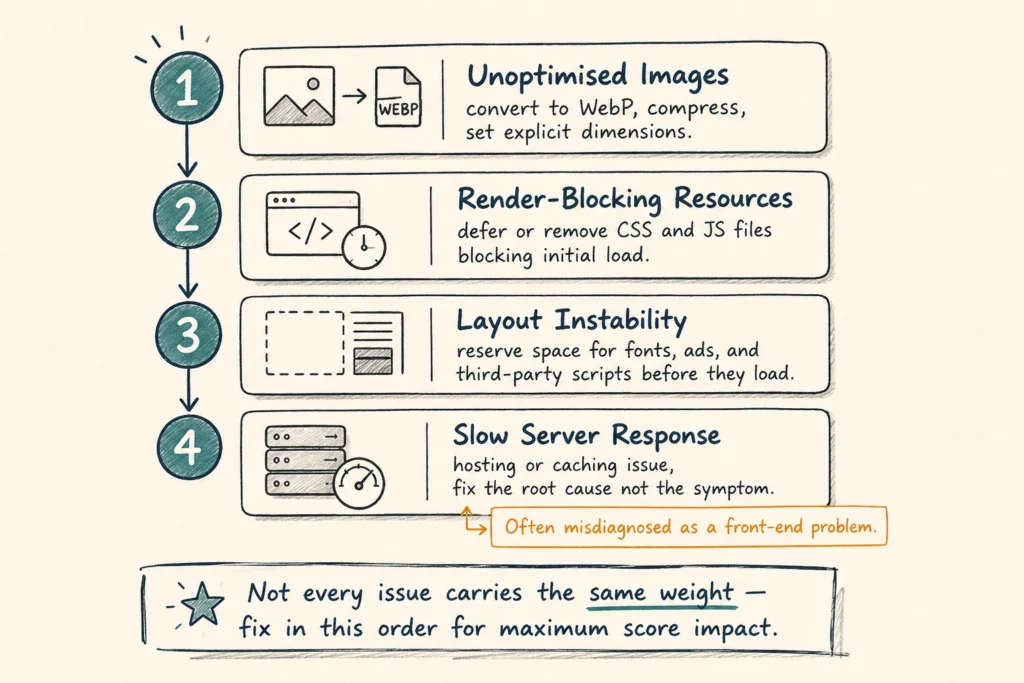
Once the analysis is done, you can walk away with a specific, prioritised action list tied directly to your scores. The issues vary from site to site, but some problems come up more often than others. Here’s what tends to surface:
We’ve worked with Brisbane businesses whose Search Console data showed consistent failures across mobile. After a structured audit and targeted fixes, their Core Web Vitals monitoring showed passing scores within six to eight weeks. A professional analysis tells you exactly which issues to fix first, so nothing gets overlooked and your time isn’t wasted.
If your site is slow, jumpy, or unresponsive, it’s affecting your rankings and your visitors’ experience right now. A Core Web Vitals analysis gives you the full picture of what’s wrong, why it’s happening, and what to prioritise first.
Free tools are useful for spotting performance issues, but they don’t always explain why they’re happening or which issues to tackle first. A professional analysis connects those findings to the underlying causes and helps you prioritise improvements.
If you’d like to know what’s holding your site back, DevelopersDex offers professional Core Web Vitals analysis as part of our website maintenance and performance services. Reach out, and we’ll take a look.
Company Reviews