


A WordPress website maintenance package is a subscription service where specialists handle the technical work on your site. They keep it secure, fast, and online while you focus on running your business.
Think of it like having a mechanic on retainer, except the job is preventing problems before they ground you. That preventative role becomes important because WordPress doesn’t run on autopilot.
Once your website goes live, it still relies on software that updates every few weeks to fix bugs and patch security gaps that hackers actively target. Skip those updates, and you’ll increase the risk of attacks that can slow pages down or take your business’s online presence offline.
This guide covers what’s included in WordPress website maintenance plans, what they cost, and how to choose the right one for your business. You’ll also learn which warning signs to watch for and which questions to ask before signing up.
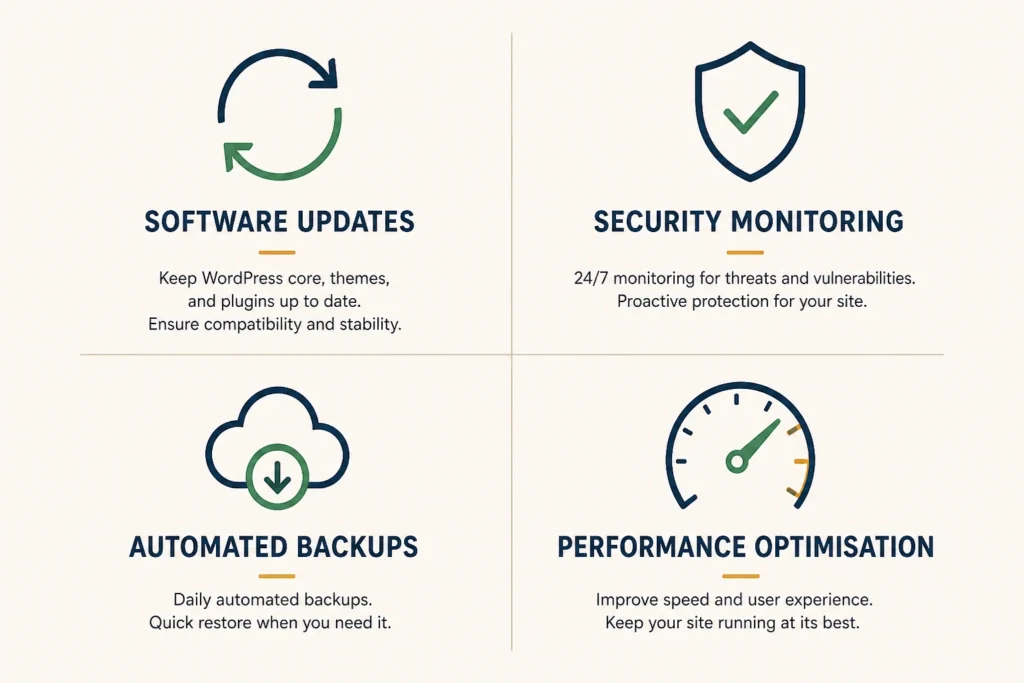
Most WordPress maintenance service packages cover four core areas that work together to keep your site protected and performing well. Let’s break them down.
These four areas cover the technical foundation that keeps plugins and themes working together smoothly. Without consistent care across all of them, one weak spot can compromise your entire site.
Australian WordPress maintenance plans typically range from $50 to over $1,000 per month, depending on your site’s complexity, traffic, and response time requirements. The table below breaks down typical pricing tiers and what they include:
| Plan Tier | Monthly Cost | What’s Included | Best For |
| Basic | $50-$150 | WordPress core updates, plugin updates, weekly backups, basic security monitoring | Simple business sites, portfolios, and small blogs |
| Standard | $150-$400 | Everything in Basic, plus performance optimisation, monthly reports, and priority support | Active sites with regular traffic, service businesses |
| Premium | $400-$1,000+ | Everything in Standard, plus 24/7 monitoring, advanced security, emergency support, guaranteed response times | E-commerce sites, membership systems, and custom integrations |
These pricing tiers reflect what’s at risk if your site goes down. A brochure website offline for a few hours is inconvenient, while an online store losing sales every minute needs immediate attention. That’s why premium plans cost more.

One of the clearest signs is when small technical issues keep repeating. For example, a business owner might spend an entire Saturday fixing a plugin conflict that breaks their booking form. Then, a few weeks later, another update causes new problems. At that point, it’s no longer a one-off issue but an ongoing pattern.
Another sign is the time cost. Five hours spent troubleshooting plugin conflicts this month means five hours you weren’t serving customers or growing your business.
If your site also handles online sales, the impact goes beyond time and becomes immediate and measurable. A store with a broken checkout loses revenue every minute the problem persists. In one case, we saw a six-hour outage during a sale weekend result in an estimated $8,000 in lost sales (and that was just one weekend).
Uncertainty around updates is another warning sign. If clicking “update” feels risky because you’re not sure what might break, your site isn’t being managed properly. Delayed updates can lead to security issues and, in some cases, full site compromise.
Recovering from those incidents often costs far more than ongoing maintenance.
Choosing a plan that’s too basic will leave you vulnerable to attacks. While overpaying for enterprise features you don’t need wastes money better spent elsewhere. So, here’s how to match the right maintenance plan to your situation.
Simple brochure websites with 5-10 pages need basic plans covering essential updates and security. They don’t have moving parts that require constant attention.
Online stores with hundreds of products are different. They need comprehensive monitoring because a single plugin conflict during checkout can cost sales. The complexity increases further with membership sites, booking systems, or custom integrations. These require WordPress support packages that include developer hours for troubleshooting issues specific to your setup.
Confident, tech-savvy people might only need backup services and emergency support while handling routine updates themselves. This approach saves money if you’re comfortable testing updates in staging environments first.
However, DIY only works with the right technical experience. Without it, managing updates and resolving issues quickly becomes time-consuming and risky. In these cases, hands-off WordPress website maintenance, where experts handle everything, is usually the better option.
It also helps to look at this in terms of cost. If your time is worth $100 or more per hour, spending several hours troubleshooting each month quickly outweighs the cost of a maintenance plan.
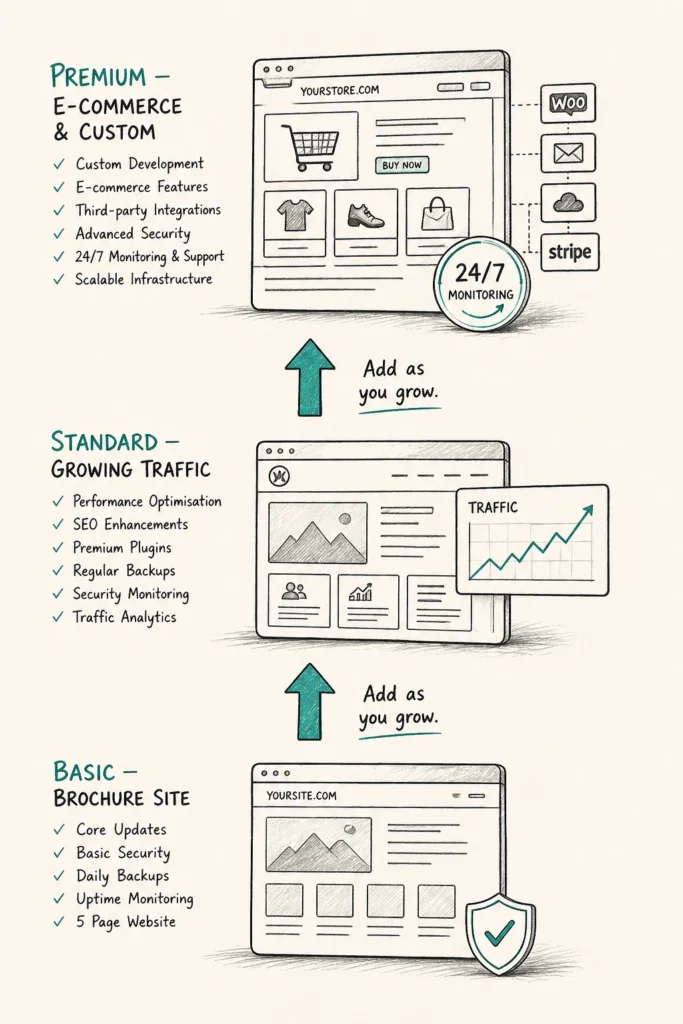
Once you’ve matched a plan to your current needs, start with basic coverage and add services as your site grows in complexity and traffic. Paying for advanced security scanning or performance optimisation before you need them adds cost while offering little extra protection.
That said, you’ll need a provider who can scale with your business and avoid forcing a new contract every time your needs change. Month-to-month plans make this easier by letting you adjust support levels instead of being locked into long-term agreements.
Pro Tip: Ask providers upfront whether their plans have clear upgrade paths and whether pricing stays consistent when you move between tiers.
Not all providers are the same. Some are transparent with clear processes and pricing, while others hide behind vague promises and surprise fees. By the time you discover the gaps, your site might already be down, and you’re stuck dealing with the fallout.
That’s why, before signing anything, pay attention to these warning signs:
These warning signs become easier to recognise once you know what to look for. The wrong provider can cost money, but it also leads to downtime, stress, and lost opportunities when support disappears at critical moments.
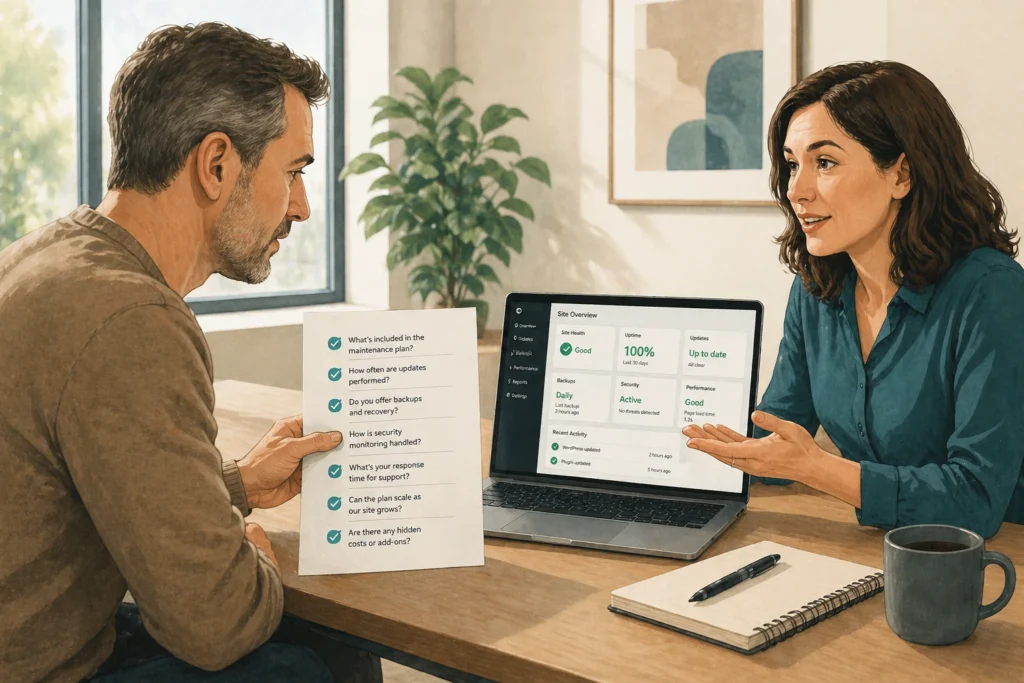
Asking the right questions upfront helps you quickly separate trustworthy providers from those relying on marketing speak and vague guarantees. These questions reveal how a provider actually operates:
Find out whether support is available 24/7 or only during business hours, and what their typical response times look like. If a provider can’t give you clear numbers, they likely aren’t tracking them closely.
Ask how often backups run, where they’re stored, and whether they’ve successfully restored client projects before. The provider should be able to explain their backup testing process and show how quickly they can restore your website after a failure.
Good WordPress maintenance services test updates in staging environments first. Ask whether they also have a rollback plan in case an update breaks something. This question reveals whether they apply updates blindly or take proper precautions to keep your site secure and avoid downtime.
This shows whether the provider is flexible or relies on locking you into long-term commitments. Providers who deliver real value don’t need to trap clients in rigid contracts.
These questions give you a clear picture of what you’re actually getting. The right providers will answer them clearly, confidently, and directly.
You now understand what WordPress website maintenance packages include, what they cost, and how to evaluate providers while avoiding polished sales pitches. The right plan comes down to matching service levels to your site’s complexity and your business goals.
When comparing options, focus on what your setup needs right now. Start with essential coverage and avoid paying for features you won’t use yet. Then choose a provider with clear pricing and the flexibility to scale as your needs change.
Here at DevelopersDex, we understand businesses need reliable websites that run around the clock, without downtime, security issues, or technical disruptions affecting operations. Our WordPress maintenance service focuses on proactive updates, monitoring, and daily backups to keep your site performing smoothly. Contact us today.
Company Reviews