


Running a business website takes a lot of work. You’re managing products, services, clients, and content, and the last thing on your mind is whether your site is becoming a security risk. Yet, most business owners assume that once a website is built and live, it’s fine. The developer set it up, it looks good, and it loads fast. What else is there to do?
Quite a bit, actually. A website isn’t a storefront you lock up at night and open in the morning. It’s a live system that needs ongoing attention to stay safe. And without that attention, it becomes an easy target.
This article covers what website security maintenance entails, how much it costs, and what to look for when choosing a service. By the end, you’ll know exactly what your site needs and why regular maintenance is worth every cent.
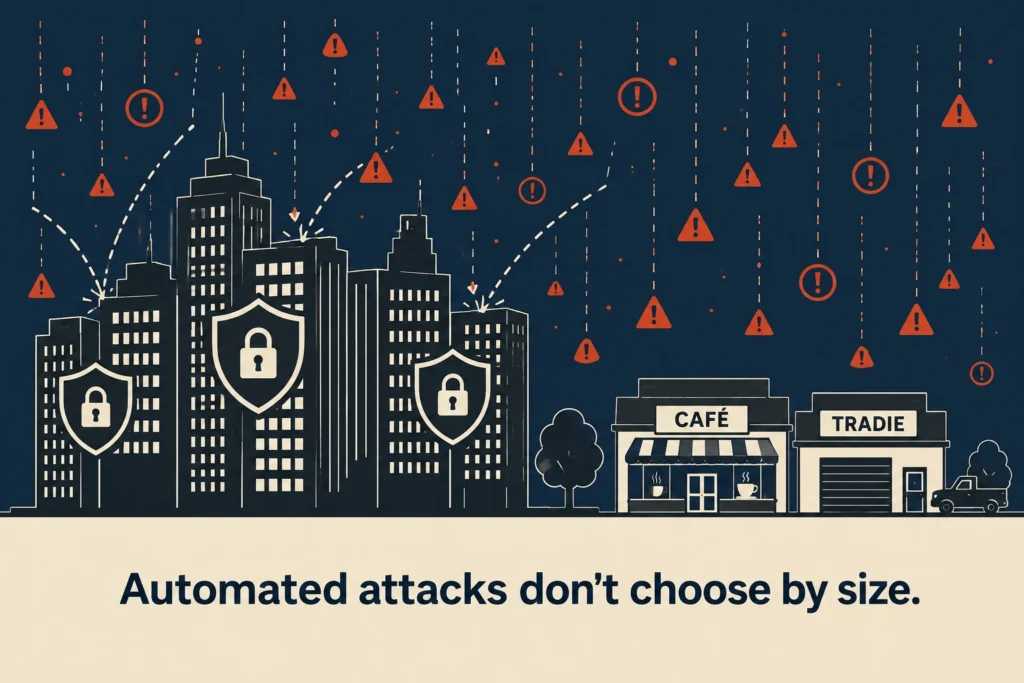
Most small business owners assume hackers are after the big fish: banks, major retailers, and household names. That’s a reasonable assumption. But automated attacks don’t work that way.
They don’t choose victims based on size or revenue. Instead, they scan millions of websites looking for known vulnerabilities and exploit whichever sites are easiest to break into.
Google’s own data shows how widespread these attacks are. According to Google’s Safe Browsing data, more than 10 billion URLs are checked every day, and over 3 million security warnings are issued for potential threats.
That means a Brisbane café, local tradie, or professional services firm can be just as exposed as a much larger company. In fact, smaller business websites are often easier targets. Software updates get delayed, plugins go unchecked, and security maintenance slips down the priority list.
Website security maintenance covers several ongoing processes that work together to keep your site protected and recoverable. Each of those areas needs its own ongoing attention, and skipping any one of them leaves a gap.
Here’s a closer look at what each one involves.
Your website runs on software, including a CMS like WordPress, a theme, and likely a handful of plugins. Developers push updates regularly for each of these, many of which include security patches that fix newly discovered vulnerabilities.
When you skip updates, those vulnerabilities stay open. That makes it easier for attackers since they already know which versions of popular software have known weaknesses and actively look for websites still running them.
Malware scanning runs alongside this. It regularly checks your site’s files and code for anything that shouldn’t be there, like injected scripts, hidden redirects, and malicious code. A lot of this slips in without triggering any obvious alarm. And you may have no idea your site has been compromised until Google flags it or a visitor reports something strange.
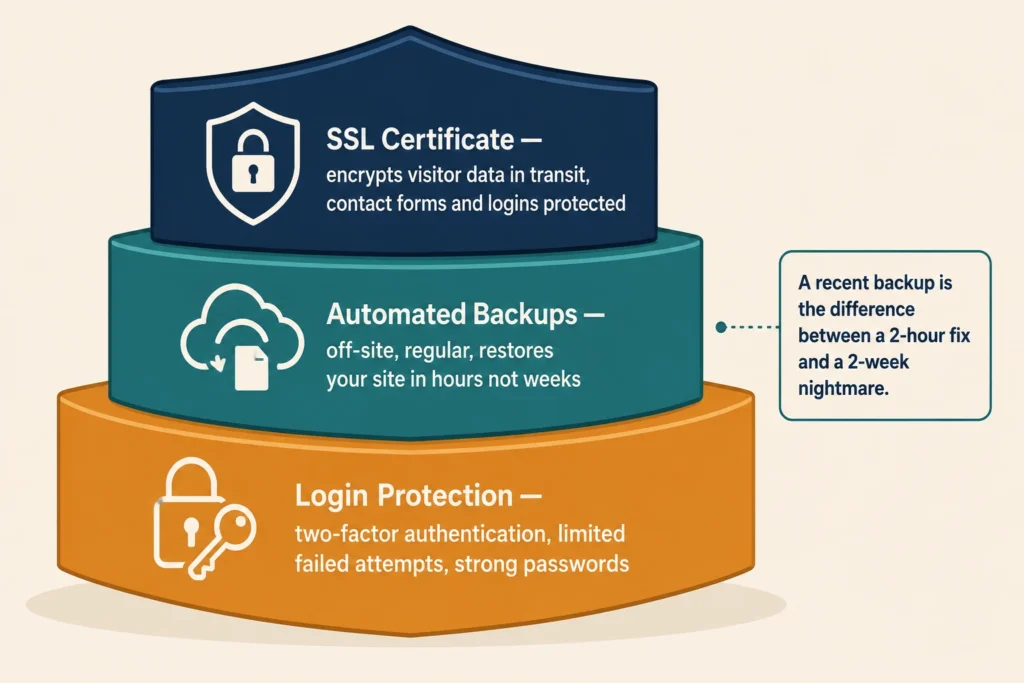
If your site gets hacked, a recent backup can mean the difference between a two-hour fix and a two-week nightmare. Regular backups, ideally automated and stored off-site, mean you can restore your site quickly without losing customer data, orders, or content.
Protecting that data doesn’t stop at backups, though. An SSL certificate scrambles the information your visitors send through your site. That includes contact form submissions and login details, so it can’t be intercepted. Google also uses SSL as a ranking signal, so a site without one takes a hit in search results as well as in user trust.
And none of that protection means much if someone can simply log in and take over. Limiting failed login attempts, enforcing strong passwords, and adding two-factor authentication across user accounts are all standard security protocols.
Together, they block the majority of automated login attacks, where bots repeatedly guess passwords until they find one that works.
A Brisbane café owner we worked with discovered their site had been serving malware to visitors for three weeks before anyone noticed. By then, Google had already flagged it, and the site had dropped out of search rankings entirely. Getting it cleaned up, resubmitted, and restored took the better part of two weeks.
A security breach can also expose your customer data, trigger a security warning in browsers, and cause extended downtime. And it can take place even while you work through a full cleanup and restoration.
But the knock-on effects go further. A site flagged for malware faces SEO penalties that pull it down in search rankings, sometimes for weeks after the issue is resolved. That loss of search engine visibility is hard to recover quickly, especially for a small business that relies on Google to bring in leads.
Your reputation takes a hit as well. A customer who lands on a security warning page on your site is unlikely to come back, and word spreads like wildfire. Unfortunately, the cost of rebuilding that trust after a breach is harder to measure than a hosting bill, but it’s just as real.
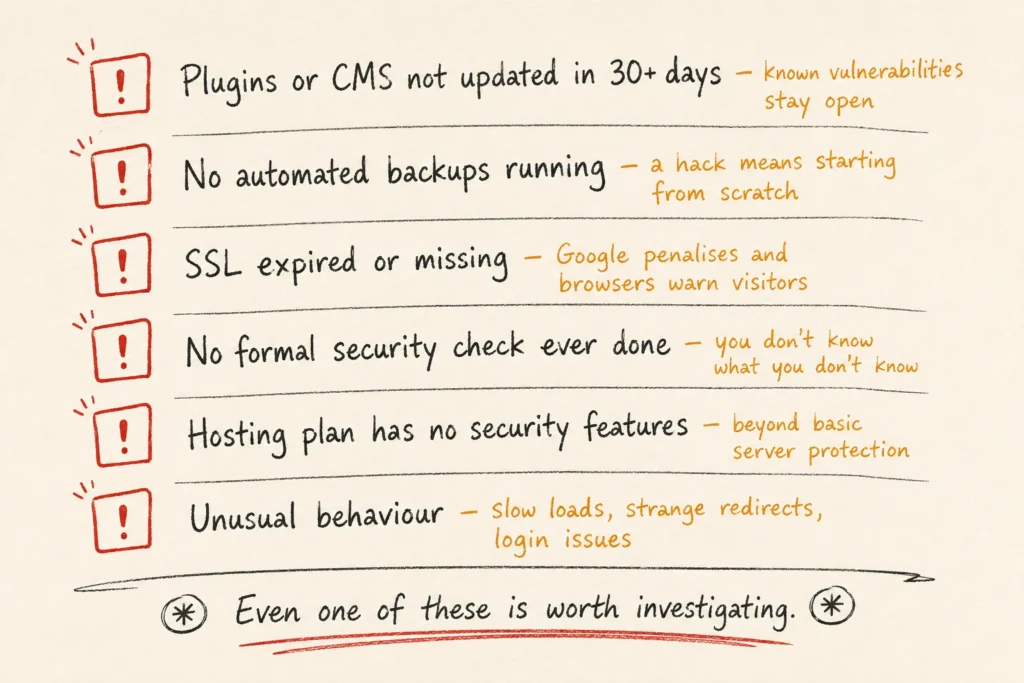
Some websites have obvious problems. Others look fine on the surface while running outdated software, missing backups, or expired security settings.
If you’re not sure where your site stands, these signs suggest it may need attention:
Even one of these signs is worth investigating. Several together are a clear signal that your site needs a security review.
The price varies depending on the size of your site, the platform it’s built on, and the level of protection you need. But to give you a realistic picture, typical website security maintenance costs look like this:
That might sound like an added expense, but let’s put it next to the alternative. Emergency developer fees after a hack can run into hundreds or thousands of dollars, depending on the damage. Add potential downtime and lost revenue on top of that, and the monthly maintenance fee starts to look like a very reasonable line item.
It’s also worth noting that some hosting providers bundle basic security features into their plans. Those are a starting point, but they’re rarely enough on their own. Hosting-level security typically covers infrastructure, but not your specific website’s software, configurations, or content.
Not all security services are built the same. Continuous monitoring providers watch your site in real time and respond as issues arise, while others run scheduled scans and send you reports. For most businesses, continuous monitoring is the better option because it catches problems early instead of reporting them after the damage is already done.
The next thing to check is what the service includes. A good website security service should cover software updates, malware protection, backups, and ongoing monitoring. If a provider’s plan is light on any of these, ask what happens if your website is compromised.
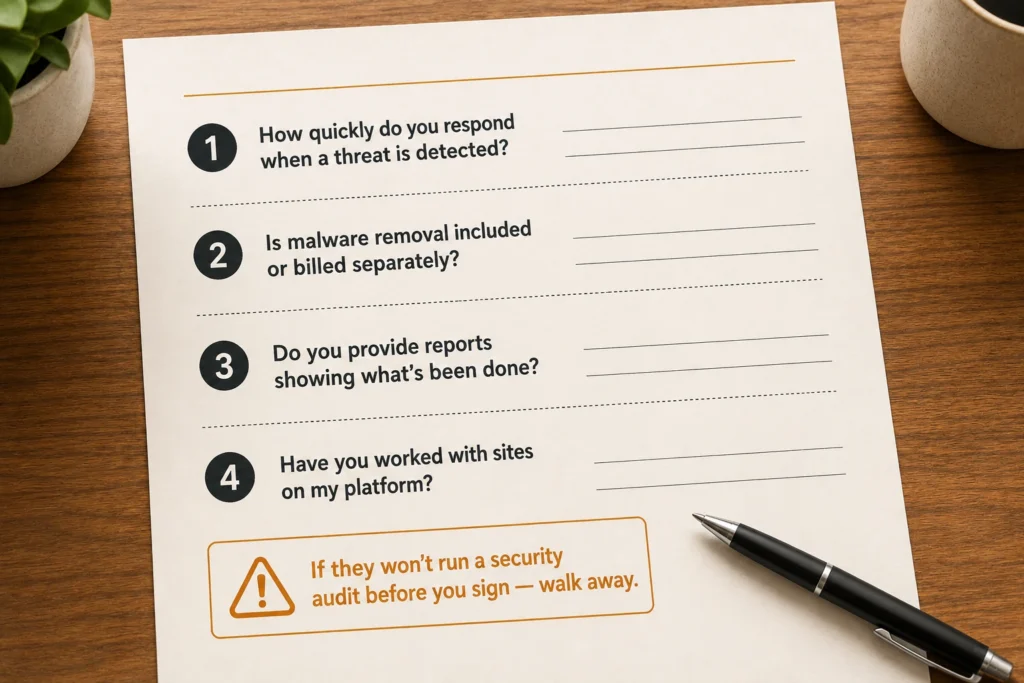
To get a clearer picture of how the service works, ask a few practical questions before you sign anything:
Before committing to any plan, ask the provider to carry out a website security audit. It will show where your site is vulnerable and help you choose a maintenance plan based on real risks rather than assumptions. If they refuse, that’s a clear sign to walk away.
Website security isn’t something you solve once and stop thinking about.
Threats evolve, software changes, and new vulnerabilities show up regularly. A site that was secure six months ago can be exposed today through no fault of your own. The businesses that stay protected are usually the ones that treat security as ongoing maintenance rather than a one-off task.
If you’re not sure where your site currently stands, start with a website security audit. The team at DevelopersDex will show you exactly where your site may be exposed and what needs attention first. No obligation, no technical overwhelm. Just an honest picture of where things stand so you can make a confident decision.
Reach out through our contact page, and we’ll take it from there.
Company Reviews