


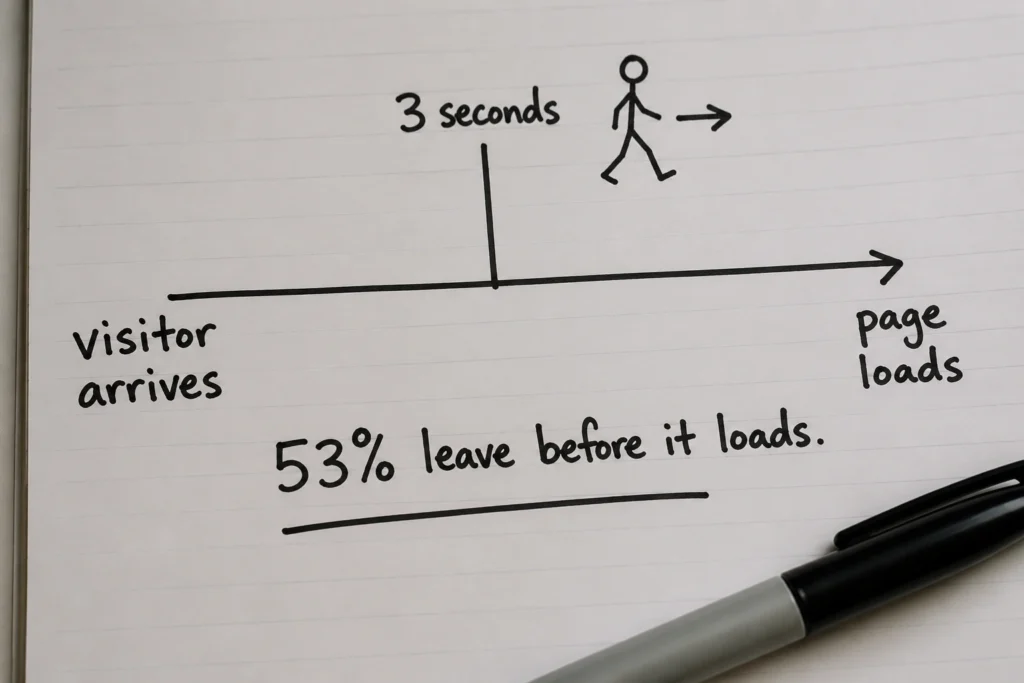
Every second your page takes to load, someone leaves. That’s not a figure of speech. Google’s mobile speed research found that 53% of visits are abandoned when a page takes longer than three seconds to load. In most cases, users leave and choose a faster-loading competitor instead.
The frustrating part is that most business owners don’t even know it’s happening. Your site feels fine to you because it’s cached in your browser, while first-time visitors are stuck watching a spinner.
Fortunately, a slow site is usually fixable once you know what’s causing it. In this guide, we’ll cover:
By the end, you’ll know precisely why your site is slow and what to do about it today.
Most business owners assume they’re losing customers because of their offer, pricing, or ads. Speed rarely comes to mind first. But it probably should. It affects both user behaviour and how search engines evaluate your site.
Search engines use load speed as a direct ranking signal. A slow-loading website ranks lower than a faster competitor, even when the content is identical. So the visitors you’re trying to reach may never find you at all.
The ones who do find you don’t wait around. According to Akamai, even a 100-millisecond delay in load time can reduce conversions by 7%. To put that in context: if you’re wondering what a good website conversion rate is, the industry average sits between 2 and 5%. A slow site can quietly push yours well below that, without you ever knowing speed was the reason.
Mobile users feel this the most. Most people browse on their phones now, and mobile devices are far less forgiving of slow load times than desktop browsers. A slow mobile experience reduces the number of visitors who make it far enough to enquire, book, or buy.
Before fixing anything, you need to know where you actually stand. This takes about two minutes.
Go to PageSpeed Insights. It’s free, made by Google, and gives you a clear score for both your mobile and desktop site. Just paste your URL and hit Analyse.
You’ll get a score between 0 and 100. Read it like this:
One thing worth knowing: your mobile score is almost always lower than your desktop score, and that’s normal. But it’s also the one that counts more, since most web traffic today comes from phones. If your mobile score is in the red, that’s where to focus first.
PageSpeed will also show you a list of specific issues it found, ranked by impact. Don’t get overwhelmed by the technical language there. You don’t need to fix everything on that list. Most of the slowdown usually comes from a handful of common issues, and those are the ones worth tackling first.

Once you’ve run the test, you’ll probably see an orange or red score. Orange means your site needs improvement. A red score shows that the performance is poor, and you’re likely losing conversions as a result. Either way, something specific is causing it. In most cases, a website is slow because of one of these three issues.
Images are almost always the first place to look. A homepage hero image straight from a camera or design file can easily be 4 to 6MB (that’s enormous). Every visitor who lands on your page has to download that image before they can see it properly, and on a mobile connection, that takes time.
Think of it like sending a letter. A compressed image is a folded note. But an unoptimized one is a thick envelope stuffed with unnecessary pages. Same message, very different delivery time.
The fix is compressing your images before uploading them. Tools like Squoosh or TinyPNG can reduce file sizes by 70% to 80% without any visible drop in quality. If you’re on WordPress, a plugin like Imagify or ShortPixel does this automatically.
Plugins are convenient. There’s one for everything, but each one adds code that your site has to load every time someone visits.
Twenty plugins might feel harmless, but if several of them are loading scripts and stylesheets on every web page, the total load time increases quickly. Some plugins are also just poorly built, and a single bloated one can slow your site down more than ten well-coded ones combined.
You don’t need to rebuild your site to fix this. Go through your plugin list and ask honestly: Am I actually using this? If the answer is no, deactivate and delete it. You should also look for plugins that do similar jobs. Two SEO plugins or two contact form plugins are usually unnecessary. Consolidating them means fewer moving parts and a faster site.
Picture shared hosting like office Wi-Fi. The more people using it at once, the slower everyone’s connection gets. That’s essentially how budget hosting works, with hundreds of websites competing for the same resources.
Under normal conditions, poor hosting might only add a second or two to your load time. But when traffic spikes, those delays can quickly stretch to six or eight seconds. Your website hasn’t changed. It’s simply waiting for its turn.
Web server location adds another layer to this. If your host is based overseas, every request has further to travel before your page starts loading. For Australian businesses, choosing a web hosting provider with local servers can noticeably improve response times.
We’ve moved Brisbane clients from budget shared hosting to managed WordPress hosting. In some cases, load times dropped from more than eight seconds to under two, sometimes within the same day. If your PageSpeed score is poor and your images are already optimised, hosting is often the next place to investigate.

You don’t need to hand this off to anyone yet. Start with these fixes in order, from easiest to most involved.
Begin with images. Run your homepage URL through PageSpeed Insights and check whether image issues appear in the flagged items. If they do, compress your existing images using TinyPNG or install a compression plugin to handle it automatically.
Next, enable browser caching. Caching saves a version of your page so it doesn’t have to rebuild from scratch every time someone visits. Think of it as your site having a ready-to-serve copy waiting at the door instead of cooking the meal fresh each time. On WordPress, WP Rocket is the most reliable option. W3 Total Cache works too, and it’s free.
After that, make sure your images are sized correctly for the web. A photo displayed at 800px wide doesn’t need to be 3000px wide in the file. Resizing images before uploading them keeps your pages lighter and faster.
If you do all of this and your score is still poor, that’s usually a sign that either your hosting needs an upgrade or there’s a deeper issue under the hood. At that point, you’re getting into things like render-blocking scripts, database problems, or bloated theme code, which are best handled by a developer.
In many cases, all you need is a targeted fix to get your site back on track, rather than ongoing work.
A slow website is a solvable problem. Most of the issues covered in this guide come down to a handful of common causes. They’re usually simple to fix, and in many cases, the DIY steps alone are enough to make a noticeable improvement to your PageSpeed score.
If you’ve worked through the fixes and your site is still underperforming, the team at DevelopersDex can help. We work with Brisbane businesses to identify exactly what’s slowing their site down and fix it. Get in touch for a no-obligation conversation about your site.
Got a few more questions about website speed? Here are the ones we get asked most often.
It depends on what’s causing the slowdown. Compressing images and enabling caching can be done in an afternoon. If the issue is hosting, migrating to a better plan usually takes a day or two. Deeper technical problems like render-blocking scripts or bloated theme code can take longer, depending on how much work is involved.
It can, but speed is one of many ranking factors. Fixing a slow site removes a barrier that may be holding your rankings back, particularly on mobile, where Google uses mobile-first indexing. Don’t expect an overnight jump, but a faster site gives your other SEO efforts a better chance of paying off.
Some fixes cost nothing. Compressing images, clearing unused plugins, and enabling a caching plugin like W3 Total Cache are all free. Upgrading hosting typically runs between $30 and $100 per month. If you need a developer for a one-time audit and fix, expect a few hundred dollars, not an ongoing expense.
Yes. Service businesses rely on trust and first impressions in a way that e-commerce sites don’t always have to. A potential customer browsing an online store might tolerate a slow page if the product is right. Someone looking for a service provider, like a lawyer, an accountant, or a tradie, makes a faster judgment call.
That’s why conversion-focused web design for family lawyers, for example, always factors in page speed alongside design. A slow site signals disorganisation before a single word is read.
Company Reviews